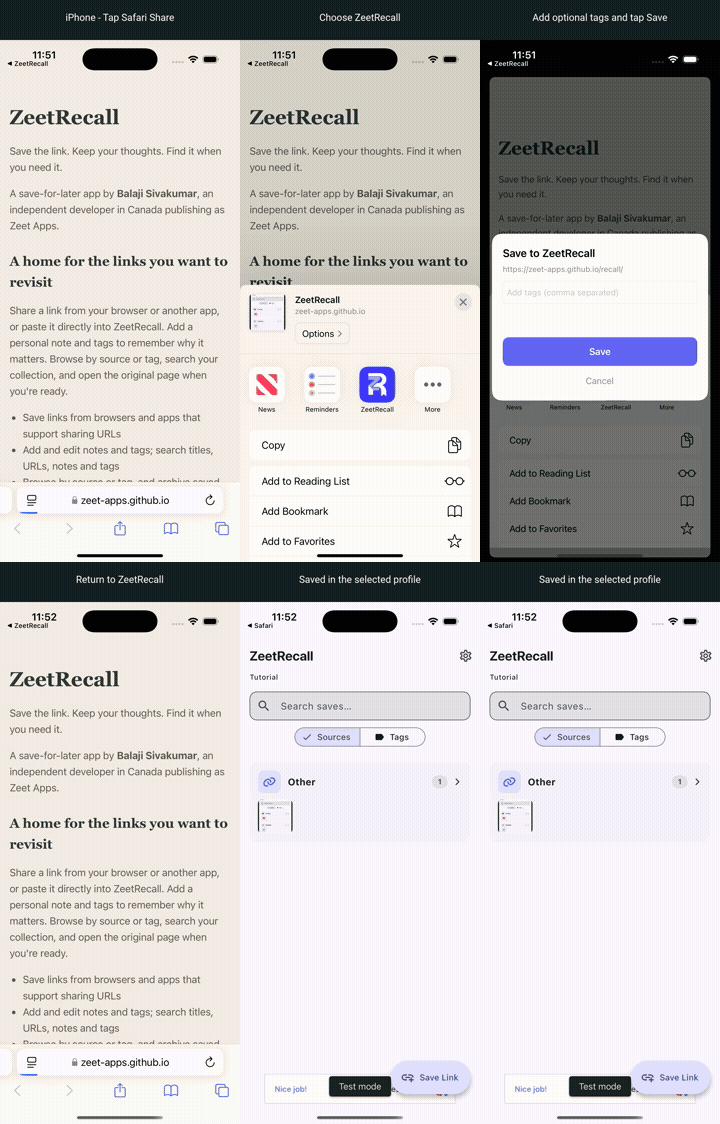
iPhone: Safari to ZeetRecall
Tap Safari's Share button, choose ZeetRecall (under More if needed), add optional tags and tap Save. Return to ZeetRecall to see the link in the selected profile.
Save the link. Keep your thoughts. Find it when you need it.
A save-for-later app by Balaji Sivakumar, an independent developer in Canada publishing as Zeet Apps.
Share a link from your browser or another app, or paste it directly into ZeetRecall. Add a personal note and tags to remember why it matters. Browse by source or tag, search your collection, and open the original page when you're ready.
Browse your sources, organize tags, search for a saved idea and keep a personal note. Tap an image for a larger view.
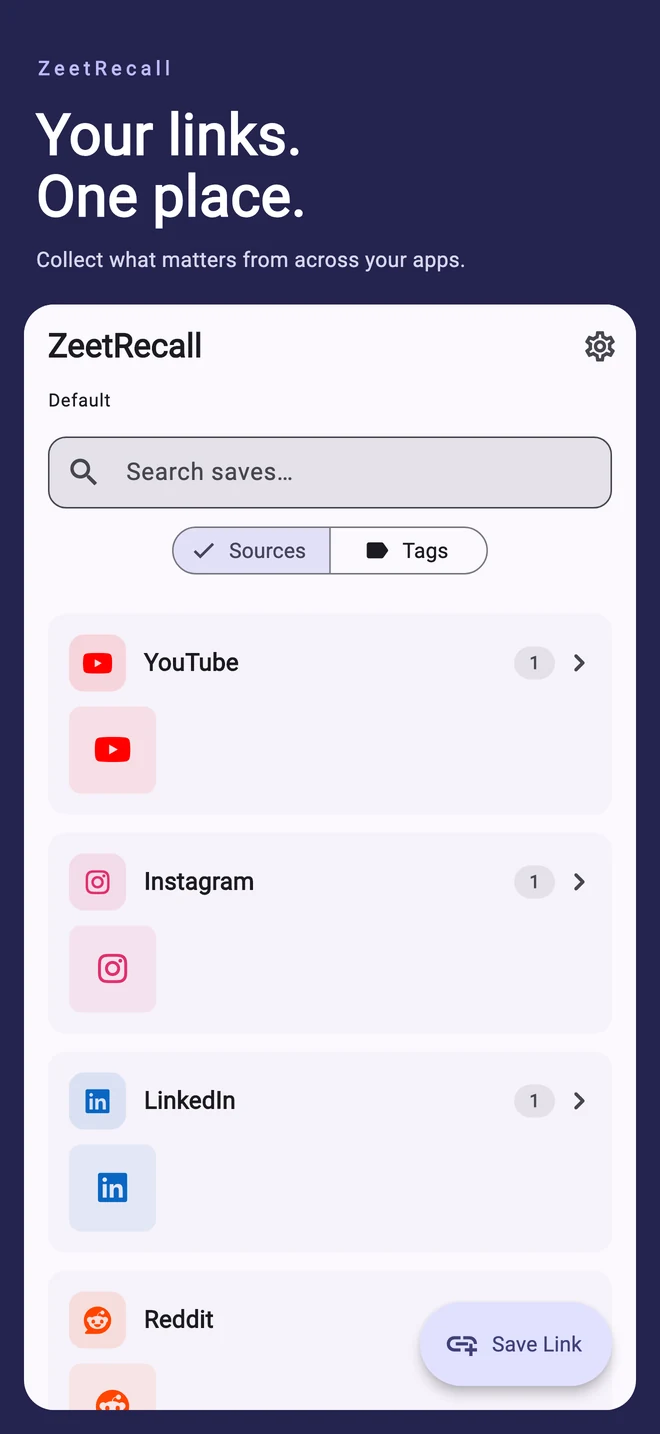
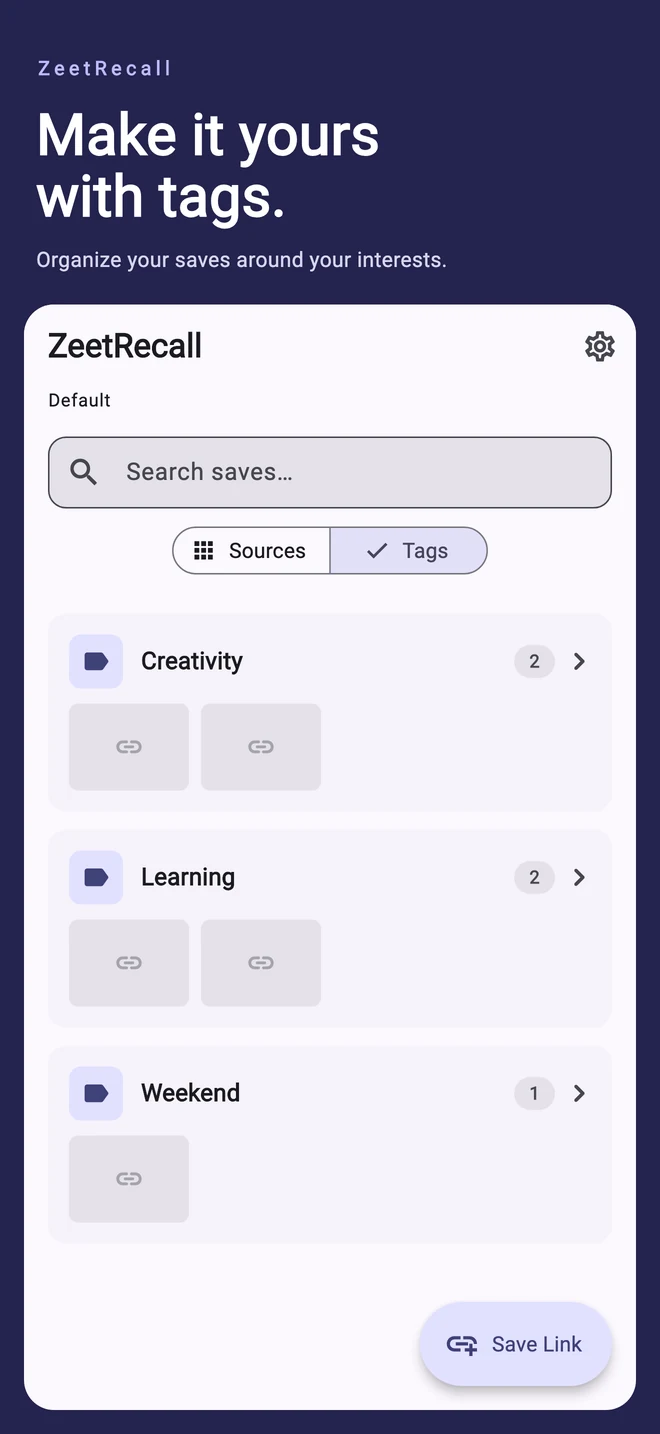
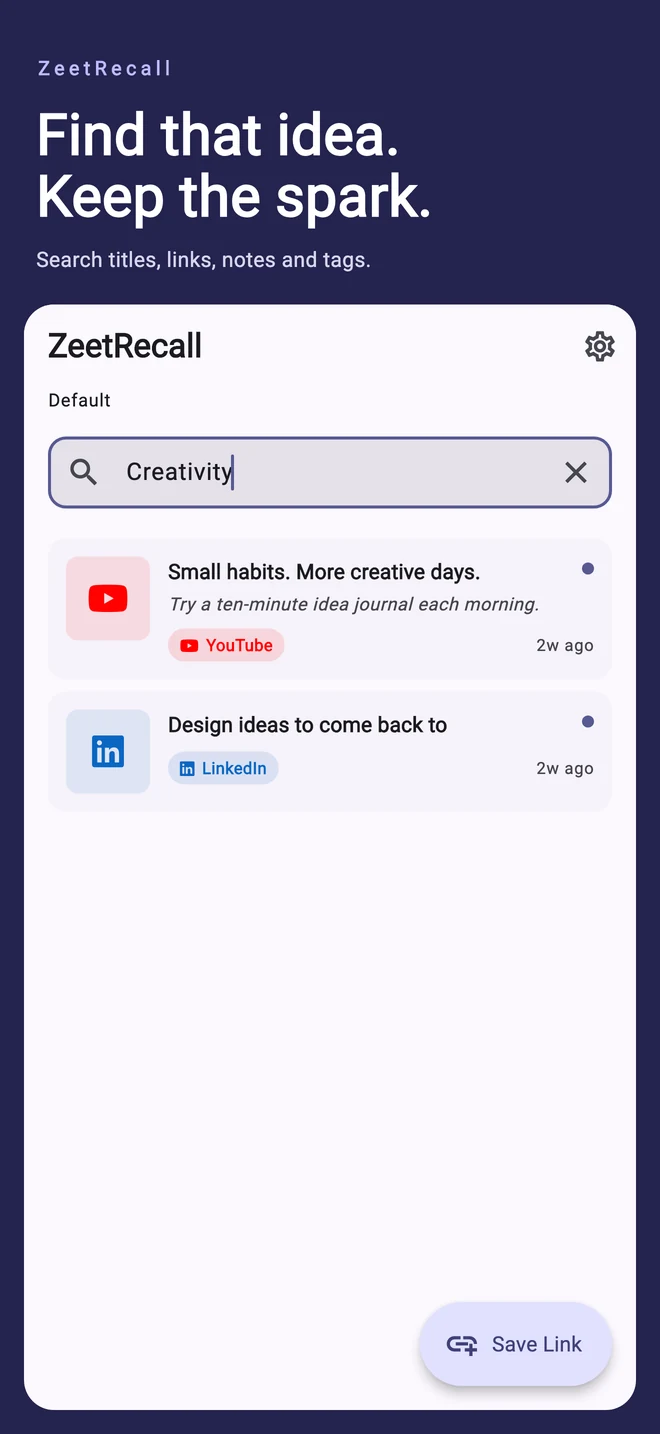
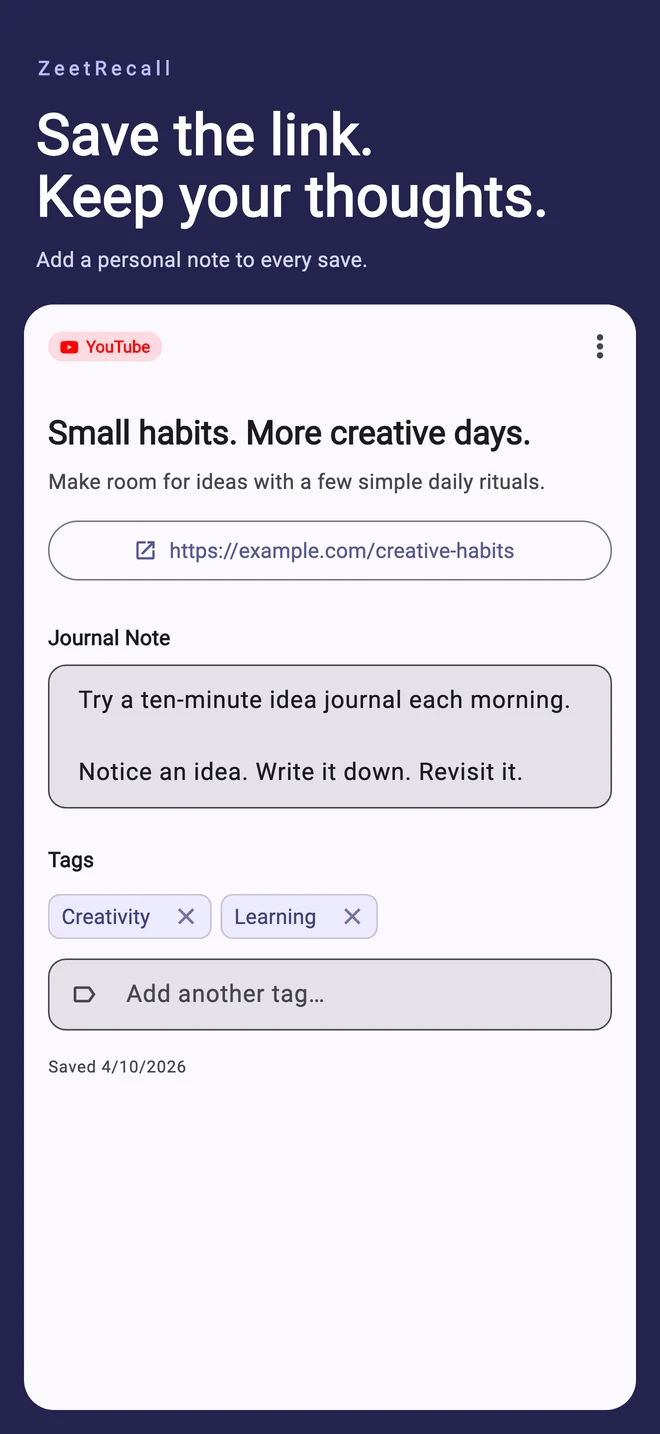
App screens shown with example content, framed for the store listing.
Save links from YouTube, Facebook, Instagram, LinkedIn, Twitter / X, Reddit, browsers and other apps that share a URL. In ZeetRecall, tap Save Link and paste a link, or use the sharing steps below.
ZeetRecall detects the link's domain and groups recognized sources together. Links from other websites appear under Other; they are not grouped into a separate collection for every domain. Add your own tags and notes to organize them further.
Titles and preview images appear when the website provides them. Private or login-required posts may not provide a preview; you can still save their link. Saving a link does not download the video or make private content accessible.
On iPhone or iPad, use Share in Safari, YouTube, Facebook, Instagram or another app that shares a URL, then choose ZeetRecall. Enable it under More if needed. Add optional tags, tap Save, then return to ZeetRecall to see your link. The Share Extension saves into the profile selected in the app.
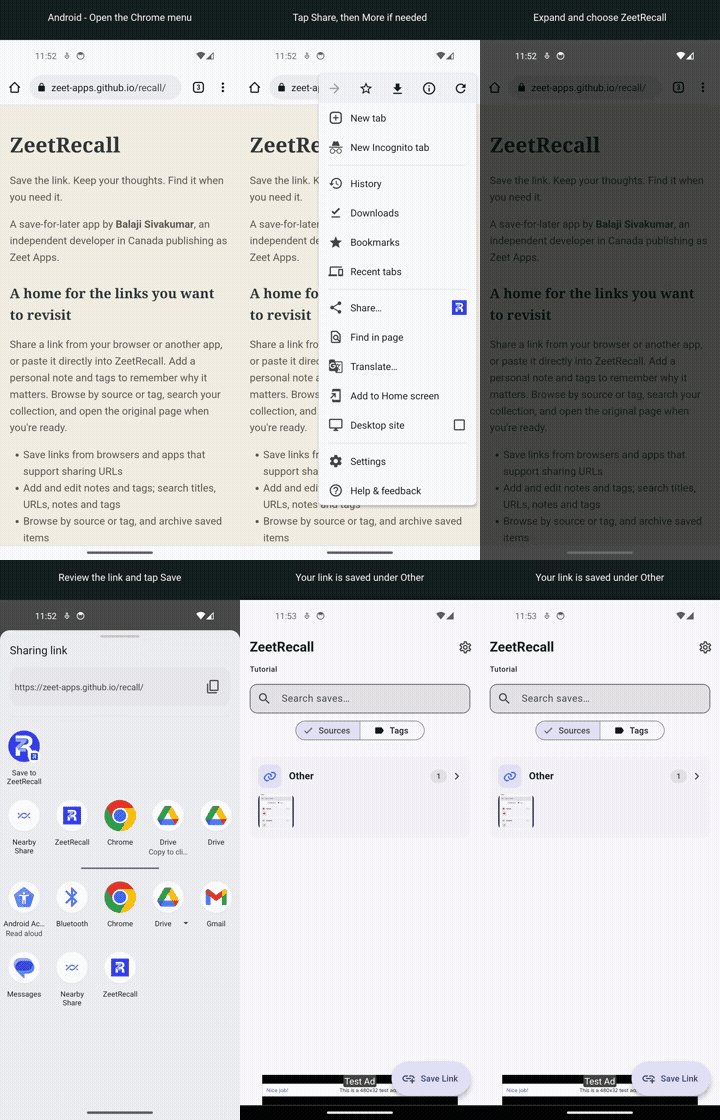
On Android, use Share in YouTube, Facebook, Instagram, your browser or another app that shares a URL, choose ZeetRecall, then finish saving it in the app.
Follow the Share button from your browser into ZeetRecall. These short demonstrations use example content on an iPhone simulator and an Android emulator, with test ads. Share menus can look different across apps and operating-system versions.
Tap Safari's Share button, choose ZeetRecall (under More if needed), add optional tags and tap Save. Return to ZeetRecall to see the link in the selected profile.
Open Chrome's menu and tap Share. Choose More or expand the destinations if needed, select ZeetRecall, then tap Save in the app.
The example website appears under Other. Recognized YouTube, Facebook, Instagram, LinkedIn, X and Reddit domains are grouped under their own source.
No sign-up is required. Saved links, notes, tags and profile names are stored locally. Profiles organize separate collections on the same device; they are not password-protected accounts. There is no cloud sync or backup export/import in the current release.
To clear every profile's local content, open Settings > Backup & data > Delete all local data. Type DELETE and tap Delete everything to confirm. This cannot be undone within the app and does not remove external backups or data held by advertising providers.
ZeetRecall is free with Google AdMob integration. To load previews, your device requests the linked webpage and preview images from their hosts. Those services receive normal network request information, including your IP address. ZeetRecall does not pass saved links, notes, tags or profile names as advertising targeting data. Google AdMob's SDK can automatically collect and share IP addresses (including approximate location), device/app identifiers where available, app and ad interactions, advertising data, and crash, diagnostic and performance information for advertising, analytics and fraud prevention. Consent and device privacy settings affect data handling; declining tracking does not stop all SDK collection. Read the privacy policy for details. No purchase is required to use the app.
Questions, feedback or a problem? Email zeetforfun@gmail.com. Include ZeetRecall, your device model, operating system and app version, plus the steps that led to the issue. Please avoid sending private saved content.